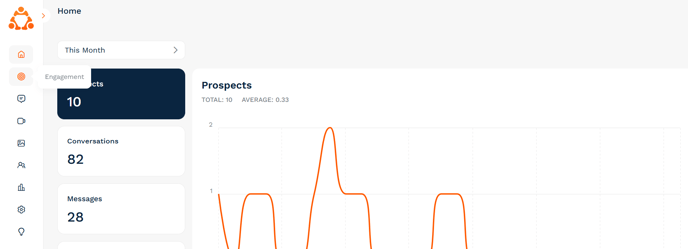
If you head into your admin dashboard, you will see the "Engagement" icon in the main menu:
- Chat with a particular ambassador
- Join a Community Space
- View and chat in a particular Community Group Chat
- Confirm their journey stage
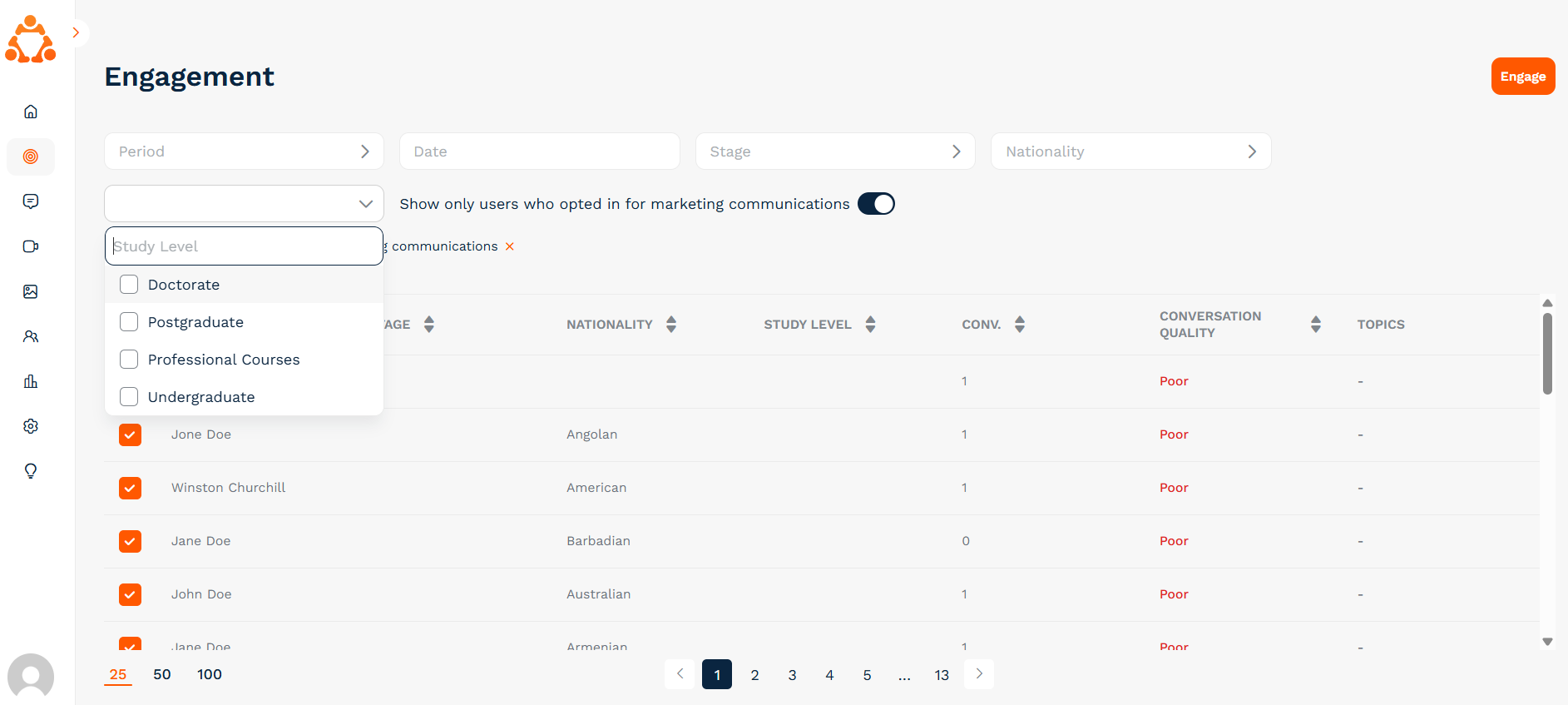
Once you're in the Engagement screen on the admin dashboard, you have the ability to filter your list of prospects. Depending on your recruitment priorities, your focus may be on converting offer holders to acceptance, or increasing undergraduate applications from a certain country. You can filter the prospect list by your desired criteria using the filters at the top of your screen:
Once you have filtered your list to display your key audience, click on the button in the top left of the prospect table to select all, then click on the orange "Engage" button:
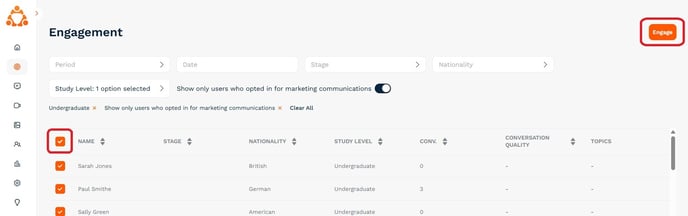
You will then be presented with a menu of actions you can perform - whether that's inviting your prospects to a particular Community Space or to connect with an ambassador.
If you have any questions about this premium service or need any support when using the engagement tool, please don't hesitate in reaching out to your Customer Success Manager or email us at [email protected].