🎯 Why is Content important?
- 89% of university applicants want to see content created by current students.
- Ambassador-led content builds trust, drives engagement, and sparks conversations.
- Institutions use TAP Content across websites, social media, email campaigns, and events.
-
Activate ambassadors for content creation
Go to Dashboard > Ambassadors > Manage and enable the Content feature. -
Request content on key topics
Head to Dashboard > Content > Create Request and choose themes (e.g. budgeting, accommodation, student life, city/campus, Open Day etc). -
Review and publish
All submissions appear in your Content Gallery, where you can:- Approve or delete
- Download or publish to your TAP Feed
📊 Content reporting
- See how many sign-ups came from content posts (top-performing institutions see 5–10% of conversations start this way!). You'll see this in your list of prospects in Prospect Hub > Engagement.
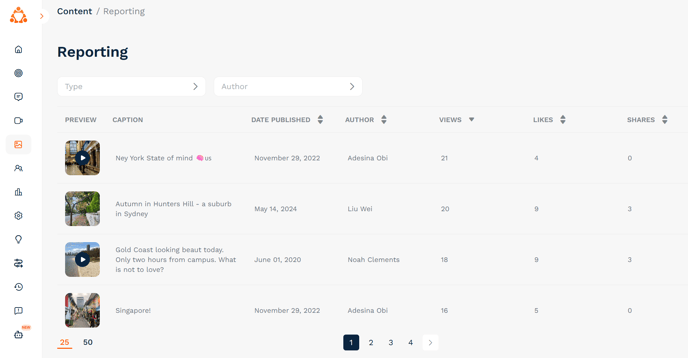
- Go to Content > Reporting to view the most viewed, liked, and shared posts:
🎁 Incentivising ambassadors
- Ambassadors earn career points on their TAP app when their content is used
- Collaborate with them to improve quality and align with your strategy
- TAP includes built-in IP assignment terms, so you can use content freely across your channels
- If you work with a Delivery Manager, they'll take care of sending your ambassadors the content requests as well as giving them feedback.