Configure Azure AD
- Step 1: Log in to Azure Console
- Step 2: 2 Go to Enterprise Applications
- Step 3: 3 Create a new application for SSO access to TAP (e.g. 'TAP-Organization-Name-Here')
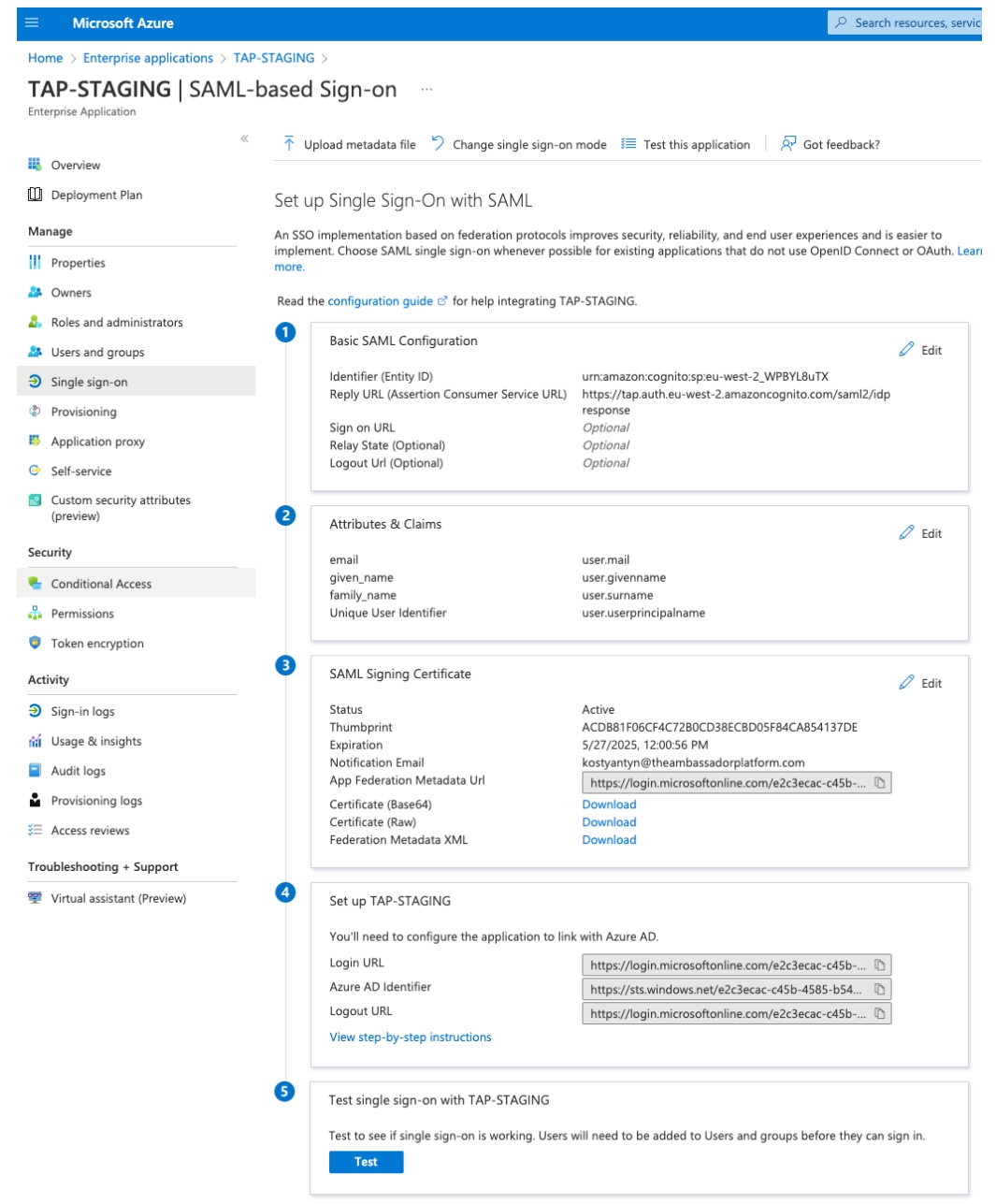
- Step 4: Configure Single Sign-On with SAML for this application:
Identifier (Entity ID):

Reply URL (Assertion Consumer Service URL):

Attributes & Claims:

- Step 5: Add or import users/user groups that will have access to TAP applications.