🧑💼 Single Account Strategy
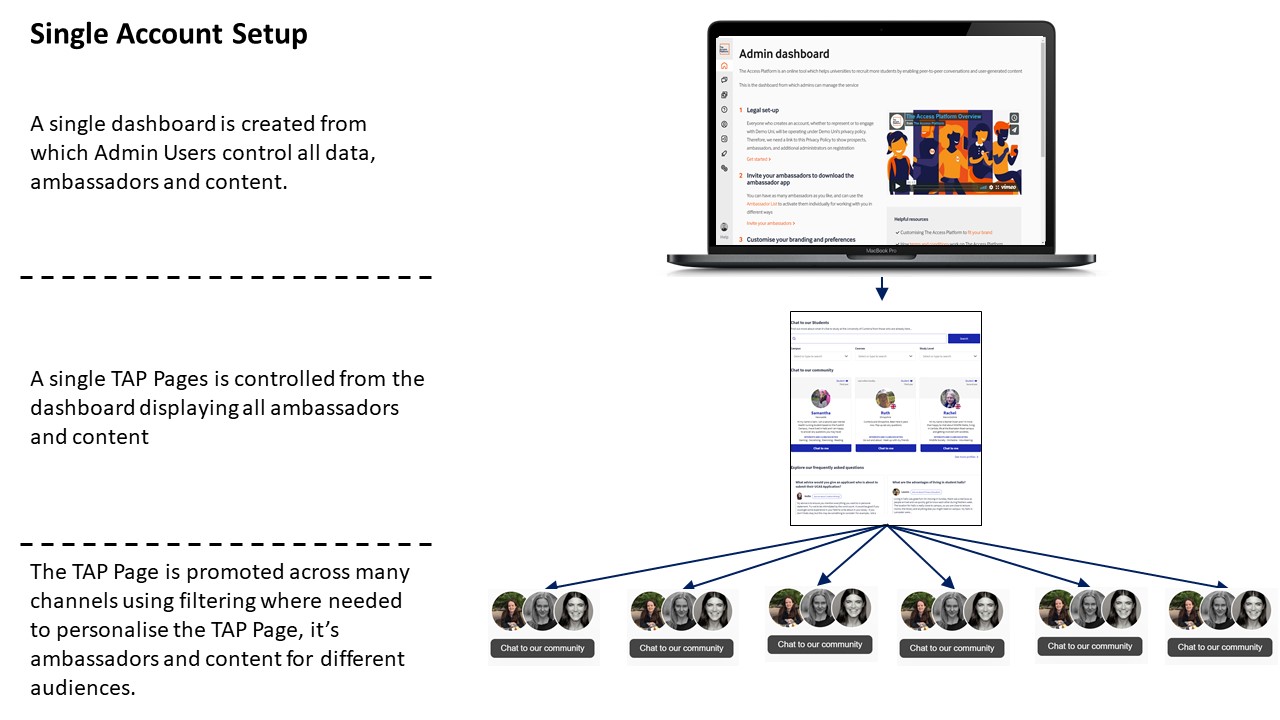
This setup uses one Admin Dashboard and one Feed to manage all ambassadors and content centrally.
✅ Pros:
- 🔗 Centralised control: One dashboard for all data, content, and ambassador profiles.
- 🎯 Filtered promotions: Use filters to show relevant content on different pages (e.g. by campus or region).
- 📉 Minimal admin effort: Fewer admins needed; ideal for institutions with centralised marketing or recruitment.
⚠️ Considerations:
- 👥 All admins see all data and may receive notifications across the network.
- 📊 Data is unified but not segmented by default — filtering is needed for analysis.
🏢 Multiple Account Strategy
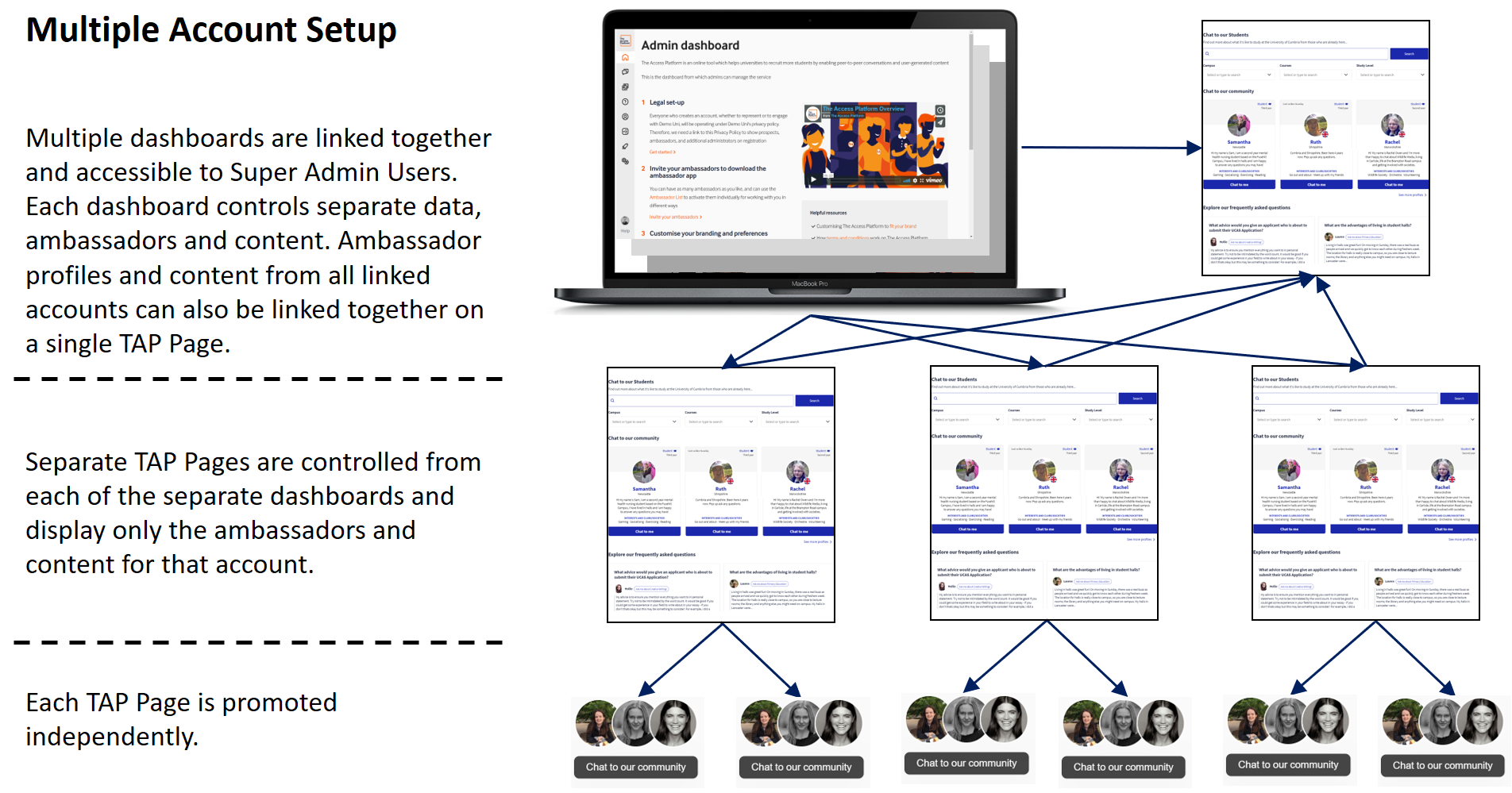
This setup uses separate Admin Dashboards and Feeds for different brands, campuses, or teams.
✅ Pros:
- 🧑🔧 Local autonomy: Each team manages its own ambassadors, content, and Feed.
- 📈 Segmented data: Admins only see data relevant to their account.
- 🌐 Group Feed option: Combine content from multiple accounts into one Feed (available for an additional fee).
⚠️ Considerations:
- 🛠 Requires more setup and admin involvement at the local level.
- 📣 Each team is responsible for its own promotions and ambassador engagement.
🤝 How does this work with Active Management?
If you're on Active Management, TAP’s Delivery Manager can help coordinate across multiple accounts or support your centralised strategy by:
- Managing notifications and ambassador activity
- Curating content across accounts
- Providing regular reporting and insights
- Supporting prospect engagement across Feeds
📬 Need help deciding?
Reach out via chat support or email us at [email protected] — we’ll help you choose the best setup for your goals.