Sometimes you may want to highlight a particular ambassador to a prospect — perhaps because they study the same subject, come from the same country, or share a similar interest. With TAP, you can easily share direct links to an ambassador’s profile.
This allows your prospects to chat 1:1 with the right ambassador straight away, creating a more relevant and personalised experience.
Where to find an ambassador’s profile link
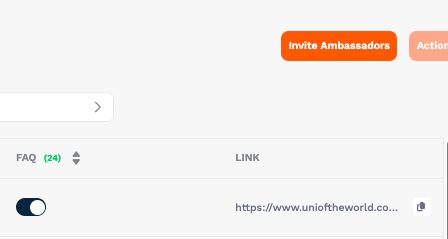
This link will take prospects directly to the ambassador’s profile, where they can start a conversation, view content, and learn more about their student experience.
Ways to share profile links with prospects
- Email follow-ups: include a link to a relevant ambassador in your reply to a prospect enquiry.
- Webinars or events: drop the link into the chat so prospects can continue the conversation afterwards.
- Social media campaigns: highlight “Meet [Ambassador Name]” posts with a direct link.
- Agent communications: give agents curated ambassador links so they can connect their students directly.
Best practices
- Match carefully: only share profiles that are genuinely relevant to the prospect (subject, region, background, etc).
- Use tracking links: where possible, use TAP’s tracked URLs so you can measure which links are driving the most engagement. On more assistance with this, read how to set up tracked links.
- Set expectations: let the prospect know they’ll be chatting with a current student, not staff, so they feel comfortable.
Why this matters
- Creates a personal connection right from the start.
- Increases the likelihood that prospects will ask questions they really care about.
- Saves time for your recruitment team by allowing students to self-serve through authentic conversations.